

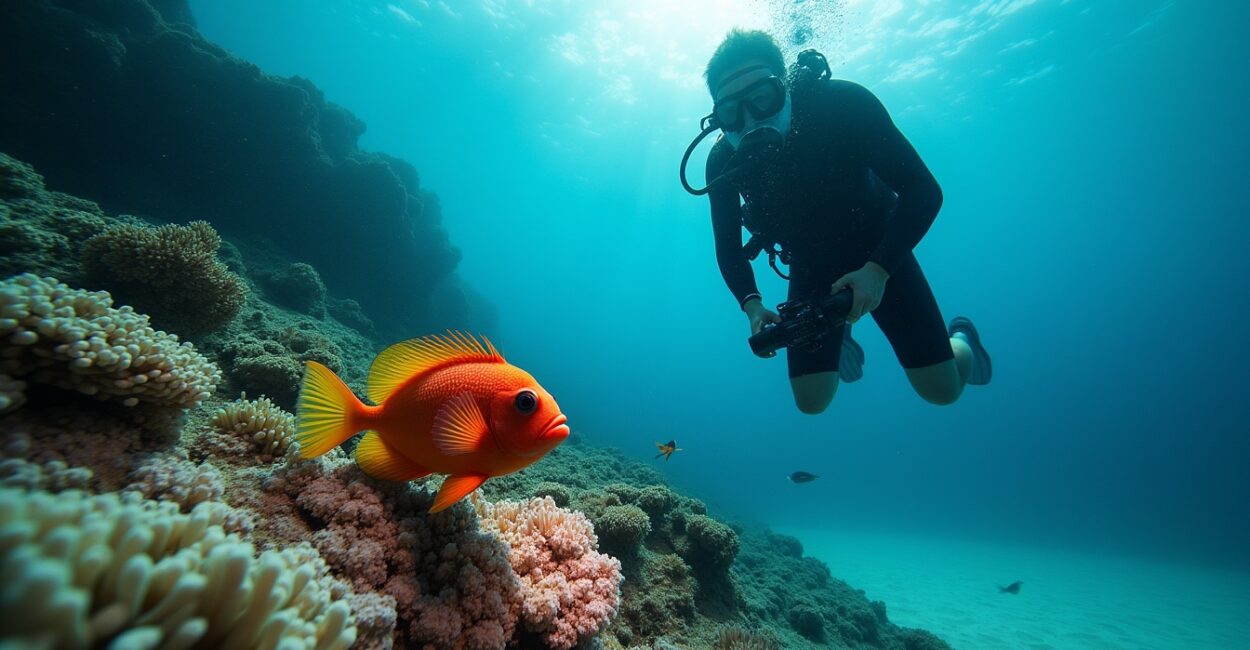
Imagine the thrill of vibrant underwater shots that pull you into a coral garden, where colors pop and every fish looks portrait-ready. That sensory rush—color, clarity, and life—is what keeps divers and photographers obsessing over the craft.
Underwater shots matter because water absorbs color and scatters light; without smart lighting and technique, scenes go flat and murky. This guide delivers practical lighting tips, gear choices, and real examples like snorkeling off Bonaire to help you keep colors vivid and reduce backscatter.
Lighting Fundamentals That Make Underwater Shots Sing
Why Light Changes Underwater
Light attenuates with depth: reds disappear first, then oranges and yellows, altering white balance and reducing contrast. Understanding absorption and scattering is essential.
Knowing how water affects color helps you plan exposures, select strobes, and decide when to shoot natural light versus artificial lighting for vivid color restoration.
Types of Light Sources
Continuous LED, on-camera strobes, and off-camera strobes each shape underwater shots differently. LEDs help with video and focusing; strobes freeze motion and restore color.
Use strobes for vibrant close subjects and LED panels for ambiance. Mixing light types can balance foreground color with background mood and reduce flat illumination.
Camera Settings and White Balance for Crisp Underwater Shots
Manual Exposure Strategies
Shoot in manual or aperture-priority to control depth of field and motion. Start with ISO 100–400, f/5.6–11 for compact scenes, and adjust shutter speed for subject motion.
Bracketing exposures helps capture a range for later blending. Underwater light is fickle—be ready to tweak settings between shots to preserve color and detail.
White Balance and Color Correction
Set custom white balance or shoot RAW for post-dive color recovery. Use a gray card at the start of a dive to anchor tones and neutralize blue casts.
Gradual color correction and selective saturation bring back reds and oranges. Combine in-camera adjustments with post-processing for natural, vivid underwater shots.

Composition and Proximity: Reduce Backscatter and Boost Color
Get Close and Fill the Frame
Closer subjects mean less water between lens and subject, improving contrast and color. Use wide-angle lenses for reefs, macro for tiny critters.
Fill the frame to minimize blue haze and emphasize texture. Composition choices directly impact the effectiveness of your lighting and the final color integrity.
Angle Your Lights to Avoid Backscatter
Off-axis strobe placement reduces retro-reflected particles. Angle strobes slightly outward and forward to illuminate the subject, not the water column.
Experiment with strobe distance and angle. Small adjustments can eliminate distracting specks while preserving subject highlights and vivid color.
Practical Lighting Setups with Bonaire Snorkeling Examples
Shallow Snorkeling on Bonaire — Natural Plus Fill
Off Bonaire’s clear, shallow reefs, combine natural sunlight with a single handheld strobe to restore reds lost even at shallow depths. Aim the strobe obliquely.
Use a polarizing mindset underwater: let sun be the key light and your strobe be the fill. This keeps background ambiance soft while foreground colors pop.
Night and Twilight Shots — Amplify Color with Continuous Light
Use powerful LED panels for twilight or night snorkeling to reveal nocturnal life. Continuous light helps with focusing and brings subtle hues to life.
Balance LED intensity against distance to avoid washout. Capture rockfish and reef textures by mixing a warm LED key light with a cooler backfill.
| Scenario | Recommended Lights | Typical Settings |
|---|---|---|
| Shallow reef snorkeling (Bonaire) | One handheld strobe + ambient sun | ISO 200, f/5.6, 1/125s |
| Macro on sandy bottoms | Dual strobes, diffusers | ISO 100–200, f/11, 1/200s |
| Twilight/blue hour | LED panel + strobe | ISO 400, f/4–5.6, 1/60–1/125s |

Step-by-step Routine to Minimize Backscatter and Maximize Color
Quick Pre-dive Checklist
Confirm batteries charged, strobes synced, ports clean, and O-rings lubricated. Set RAW capture and initial white balance for the dive conditions.
Keep gear organized and test-fire strobes before entry to catch misfires. Preparation saves time and improves results underwater.
Featured Step-by-step for Shooting
- Approach subject slowly and close the distance.
- Position strobes off-axis and slightly forward from the lens.
- Dial exposure: low ISO, mid aperture, fast shutter for motion.
- Fire a test shot; adjust strobe power for correct foreground color.
- Recompose quickly and capture multiple frames for safety.
Follow these actionable steps on every dive to consistently reduce backscatter and produce vivid, publication-ready underwater shots without guesswork.
Gear Choices That Influence Lighting and Color
Housings, Ports, and Lens Selection
Dome ports favor wide-angle lenses and improve image quality. Flat ports work for macro but can cause reflections. Choose glass ports that match your optics for sharp results.
Lens selection affects how light falls across the frame. Wide-angle lets you get close; macro and wet diopters let you reveal tiny, colorful subjects with controlled lighting.
Strobes, Arms, and Diffusers
Invest in reliable strobes with adjustable power and TTL support for faster shooting. Flexible arms let you find the sweet spot that avoids backscatter.
Diffusers soften harsh highlights on reflective subjects. Use low-power bursts near the subject to preserve natural textures and vivid color without blowouts.
Post-processing Tips to Restore and Enhance Underwater Shots
Basic Workflow for Color Recovery
Begin with exposure and white balance correction in RAW. Recover highlights, lift shadows modestly, and adjust vibrance rather than global saturation for realism.
Selective HSL adjustments bring back reds and oranges without overprocessing blues and greens. Aim for natural-looking, emotionally engaging color balance.
Advanced Cleanup and Finishing
Remove backscatter spots with cloning/healing tools, then apply local contrast to enhance texture. Use subtle vignettes to draw attention to the subject.
Sharpening should be moderate; underwater images can amplify noise if oversharpened. Finish with cropping for stronger composition and mobile-friendly aspect ratios.
Conclusion — Bring Underwater Shots to Life Every Dive
The secret to stunning underwater shots lies in understanding light, getting close, and using practical setups like strobes angled off-axis to reduce backscatter. Real examples, such as snorkeling off Bonaire, prove that simple adjustments vastly improve color and clarity.
Master these lighting tips, refine your gear routine, and process thoughtfully to transform murky dives into vivid, emotional images that resonate with viewers and perform well on platforms like Google Discover.
Faq
How Do I Reduce Backscatter When Taking Underwater Shots?
Reduce backscatter by minimizing distance between you and the subject, positioning strobes off-axis and slightly forward, and using low strobe power. Approach subjects slowly, steady your camera, and test-fire strobes to confirm angles. Post-process with spot-removal tools to clean any remaining particles.
What Strobe Setup Works Best for Snorkeling and Shallow Reef Underwater Shots?
For snorkeling and shallow reefs, a single handheld strobe paired with ambient sunlight usually works best. Aim the strobe obliquely and use moderate power. This combo restores reds and warms tones while keeping background ambiance, ideal for vivid, natural-looking underwater shots.
Can I Rely on Automatic White Balance for Underwater Shots?
Automatic white balance may work inconsistently underwater; shooting RAW and setting a custom white balance or using a gray card is preferable. RAW gives you full control to restore reds and correct blue casts later, preserving the vibrant colors that make underwater shots engaging.
How Important is Proximity and Lens Choice for Color and Clarity?
Proximity is crucial: getting close reduces water column effects, improving contrast and color. Wide-angle lenses allow for dramatic close framing of reefs, while macro lenses reveal tiny subjects. Choose lenses that let you fill the frame to maximize color fidelity in underwater shots.
Which Online Resources Help Improve Technique for Underwater Shots?
Trusted resources include PADI for dive safety and technique, NOAA for marine environment information, and reputable photo tutorials for gear and post-processing. Study local guides like Bonaire tourism for site-specific tips and lighting strategies relevant to your dive location.
Further reading and authoritative references: PADI, NOAA Ocean Service, and the Bonaire Tourism Board.